How DAM Tools Price Storage and Seats
Digital asset management is sold by the gigabyte, by the seat and by the download, and the three units almost never appear together. Filecamp, Dash, Pics.io and Canto pricing pages read November 3, 2026, including one annual rate that is higher than paying monthly.
This article is a documentation review: it is based on the vendors' own published pages, checked on the date shown. We may earn a commission from some links; it never affects what we recommend.

Three asset managers here include unlimited users and bill something else entirely: gigabytes, downloads, or both. The fourth bills seats and gigabytes separately, and its annual column is not always the cheaper one.
Filecamp charges for storage and gives users away. Dash charges for downloads and storage and gives users away. Pics.io charges for seats and storage and lets you bring your own bucket.
Canto publishes no figure at all. Its page lists "Unlimited end users" as a feature of DAM Essentials and routes every plan to "Get pricing".
Filecamp bills gigabytes and says annual billing saves nothing
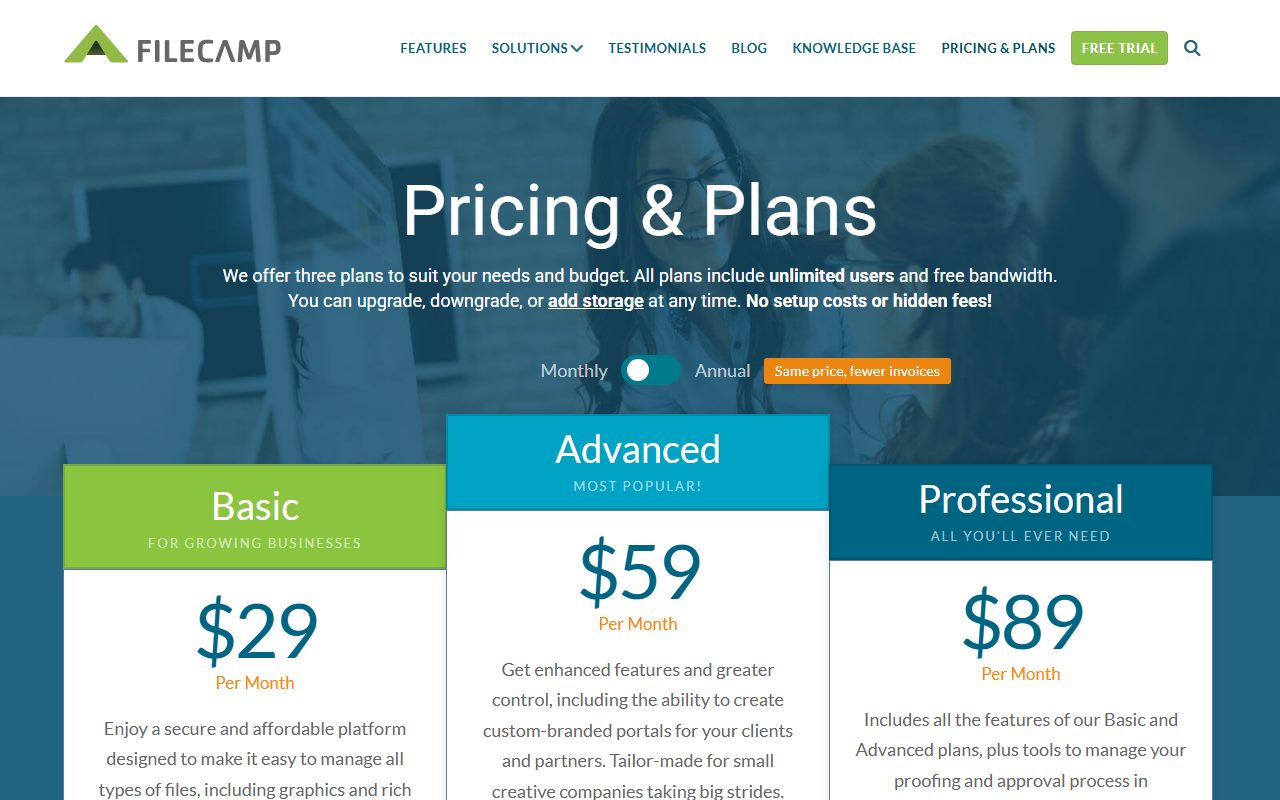
This is the most honest annual toggle in the set. Filecamp's switch is labelled "Annual - Same price, fewer invoices", and the numbers back the label exactly.
Basic is $29 a month or $348 a year, Advanced is $59 or $708, and Professional is $89 or $1,068. Each annual figure is twelve times the monthly one, with no discount at all.
Storage is the only thing that separates the tiers on capacity: 20 GB, 50 GB and 100 GB included. The page states "unlimited users" and "free bandwidth" on all three plans.
Extra storage is a published ladder rather than a sales call. It runs from 10 GB at $10 a month to 20 TB at $3,500 a month, with 100 GB at $45 and 1 TB at $300.
Those two ladders cross in a way worth noticing. The Professional plan bundles 100 GB for $89 a month, while 100 GB bought as an add-on is $45.
So by editorial arithmetic the Professional feature set costs about $44 a month once the storage is priced at the vendor's own add-on rate. That is a useful number when comparing against a cheaper tier plus storage.
The per-gigabyte rate falls hard across the ladder. It is $1.00 per GB at the 10 GB step, $0.45 at 100 GB, $0.30 at 1 TB and about $0.175 at 20 TB.
A pure storage meter with free seats is the mirror image of the per-person model in how per-user pricing works with contractors, and it suits agencies with many occasional reviewers.
Dash bills downloads, which is a unit almost nobody else uses
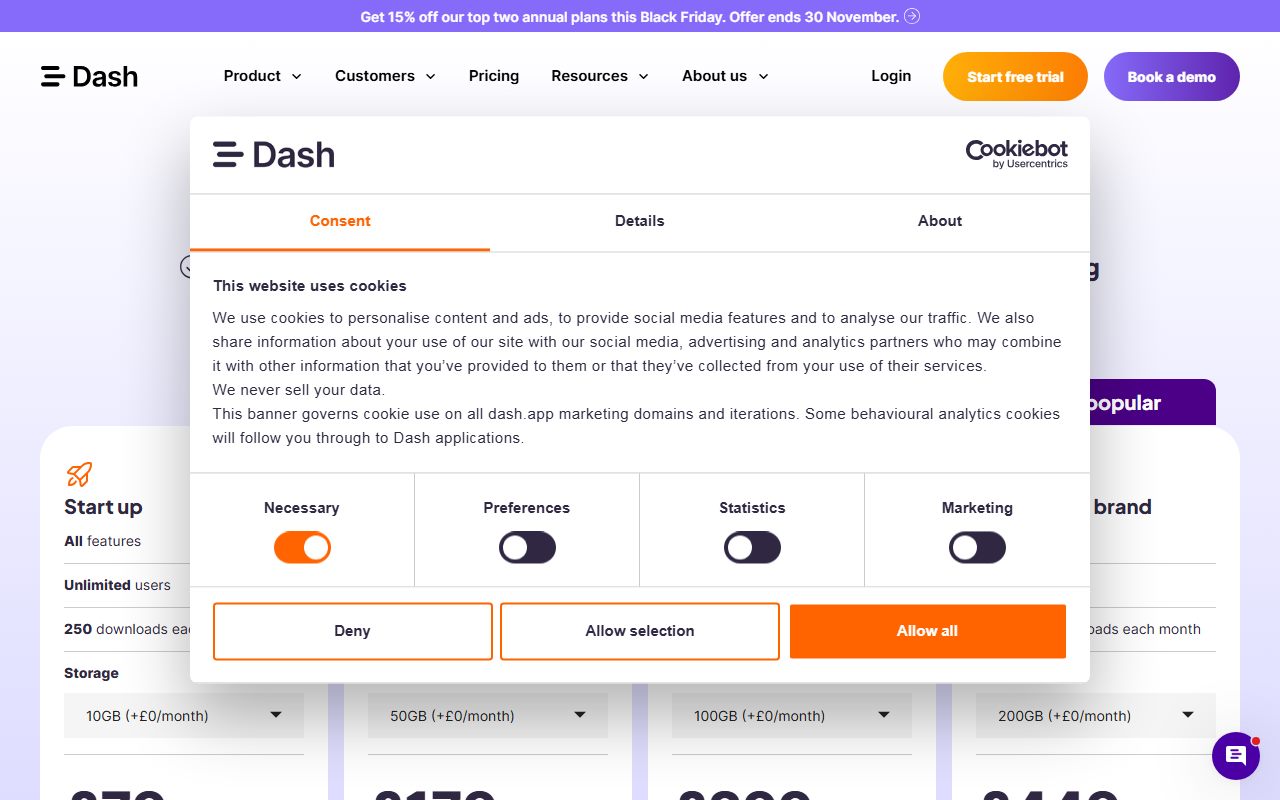
Dash puts the meter somewhere unexpected. Every plan is described as "All features and unlimited users", and the quota that separates them is downloads per month.
Start up is $109 a month or $1,177 a year with 250 downloads a month and 10GB storage. Small team is $239 or $2,581 with 500 downloads and 50GB.
Growing brand is $389 or $4,201 with 1,000 downloads and 100GB. Established brand is $589 or $6,361 with unlimited downloads and 200GB.
The annual discount is a clean 10 percent on all four plans by editorial arithmetic, which is the most consistent ladder in this set.
The storage add-on carries a stated step change. Established brand's description states extra storage is available "at a 50% discounted rate beyond 1TB", so the marginal gigabyte halves once the library passes a terabyte.
Dash also publishes five currencies with separate rates. Its FAQ states plans start at "£79, $109, €99, $149 AUD and $139 CAD per month", which is a real convenience and a reminder that a dollar figure is not a conversion.
Billing downloads rather than seats changes who you have to police. The people to watch are the heaviest users, not the most numerous, which is the opposite of the seat-counting problem.
Pics.io bills seats and storage, and one annual column is higher
Pics.io is the only vendor here with a seat meter, and the only one where the annual column is not uniformly cheaper. The headline toggle advertises "Save up to 15%".
That "up to" is doing real work. Solo is $100 a month and marked "monthly plan only"; Micro is $250 a month or $225 on annual billing at $2,700 a year, which is 10 percent off $3,000.
Small is $800 a month or $680 annually at $8,160 against $9,600, which is 15 percent off. So the three published discounts are 0, 10 and 15 percent, not a single rate.
Included seats are floors rather than caps: 1 on Solo, 10 on Micro, 50 on Small and "100+" on Enterprise. Extra seats are $25 a month on Solo, $20 on Micro and $15 on Small.
The annual figures for extra seats are $240 on Micro and $180 on Small. Both are exactly twelve times the monthly rate, so seats get none of the annual discount the base plan gets.
The storage add-on goes further than that. Extra storage per 100 GB is $16 a month on Micro with an annual figure of $194, and $14 a month on Small with an annual figure of $172.
By editorial arithmetic on those two published pairs, twelve monthly payments come to $192 and $168. The annual column is $2 and $4 higher, so annual billing costs more on that line than paying monthly.
Both numbers are printed here with the day they were read because the page shows both. The tooltip does call the storage figure an "approximate monthly cost" and says "For exact pricing, contact support", so treat the whole row as indicative.
- Included Pics.io storage is 100 GB on Solo, 1 TB on Micro, 3 TB on Small and "5+ TB" on Enterprise.
- The alternative is bring your own storage: "Use your existing Google Drive or Amazon S3. No storage fees. Store as many assets as your cloud provider allows."
- The same tooltip states BYOS is "Not compatible with Pics.io storage", so it is one or the other rather than a top-up.
- A price tooltip states "Pricing effective from June 25, 2024" and that "Prior versions of plans retain their existing pricing unless upgraded".
- Audit trail retention is its own ladder: one week, one month, six months and three years across the four tiers.
That grandfathering clause is worth reading twice before any upgrade, because it means a plan change can reprice the whole account. The data side of the same question is covered in what happens to your data after you cancel.
What to count before you buy
- Decide which unit you actually consume: gigabytes, seats, or downloads. All three are the headline meter on one of these pages.
- Price the bundled storage against the add-on rate. Filecamp's Professional plan includes 100 GB for $89 while 100 GB as an add-on is $45.
- Check the annual column line by line. Pics.io's extra seats had no discount and its extra storage was priced above twelve monthly payments.
- Ask whether included seats are a floor or a cap. Pics.io lists "10+ users" and "50+ users", which are starting points.
- Consider bring your own storage if the library is large. Pics.io states BYOS carries no storage fees but cannot be combined with its own storage.
- Get a quote early if the shortlist includes a quote-only vendor. Canto published no figure on its pricing page on the day.
Storage quotas behave the same way whatever sits in them, which is why how to read a cloud backup pricing page and what annual billing discounts actually save on SaaS both apply to this category.
If outside collaborators will come and go, read what a minimum seat count does to small team pricing and how mid-term seat changes are prorated before picking a tier.
Frequently asked questions
Does Filecamp charge per user?
No. The page states unlimited users and free bandwidth on all three plans, and separates them by storage: 20 GB, 50 GB and 100 GB on Basic, Advanced and Professional.
Is annual billing cheaper for a DAM?
Not always. Filecamp labels its annual option "Same price, fewer invoices" and charges twelve times the monthly rate. Dash gives a flat 10 percent. Pics.io gives 0, 10 or 15 percent depending on plan.
How much does Dash cost?
Start up is $109 a month or $1,177 a year with 250 downloads and 10GB storage. Established brand is $589 a month or $6,361 a year with unlimited downloads and 200GB.
How much is an extra Pics.io user?
Monthly rates are $25 on Solo, $20 on Micro and $15 on Small. The annual figures of $240 and $180 are exactly twelve monthly payments, so extra seats get no annual discount.
What is bring your own storage?
Pics.io defines it as using your existing Google Drive or Amazon S3 with "No storage fees" and as many assets as your provider allows. The tooltip states it is not compatible with Pics.io storage.
Does Canto publish prices?
No. On the day its page listed features including unlimited end users and granular permissions on DAM Essentials, with every plan routed to "Get pricing" rather than a figure.
Bottom line
Pick the vendor whose meter matches your waste. A large library with few editors wants a storage meter; a small library with heavy reuse wants a seat meter, not a download cap.
Then check the annual column against twelve monthly payments on every line, not just the headline. One add-on row here was higher annually than monthly.
All figures come from the vendors' own pages as rendered on November 3, 2026 and can change without notice. Confirm the storage, seat and download allowances at checkout before paying for a year.
Sources
- Filecamp pricing and plans (Basic, Advanced and Professional at $29, $59 and $89 a month and $348, $708 and $1,068 a year, 20/50/100 GB included, unlimited users, 'Same price, fewer invoices' annual label, extra storage ladder from 10 GB to 20 TB) (checked Nov 3, 2026)
- Dash pricing (Start up, Small team, Growing brand and Established brand monthly and annual rates in USD and four other currencies, download and storage allowances, unlimited users, 50 percent discounted storage beyond 1TB) (checked Nov 3, 2026)
- Pics.io pricing (Solo, Micro, Small and Enterprise rates, included seats and storage, extra user and extra 100 GB rates monthly and annually, BYOS tooltip, audit trail retention, 'Pricing effective from June 25, 2024' grandfathering note) (checked Nov 3, 2026)
- Canto pricing (DAM Essentials and DAM Plus feature lists including unlimited end users; every plan routed to 'Get pricing' with no figure published) (checked Nov 3, 2026)